
Best Tools for Better Team Communication and Productivity
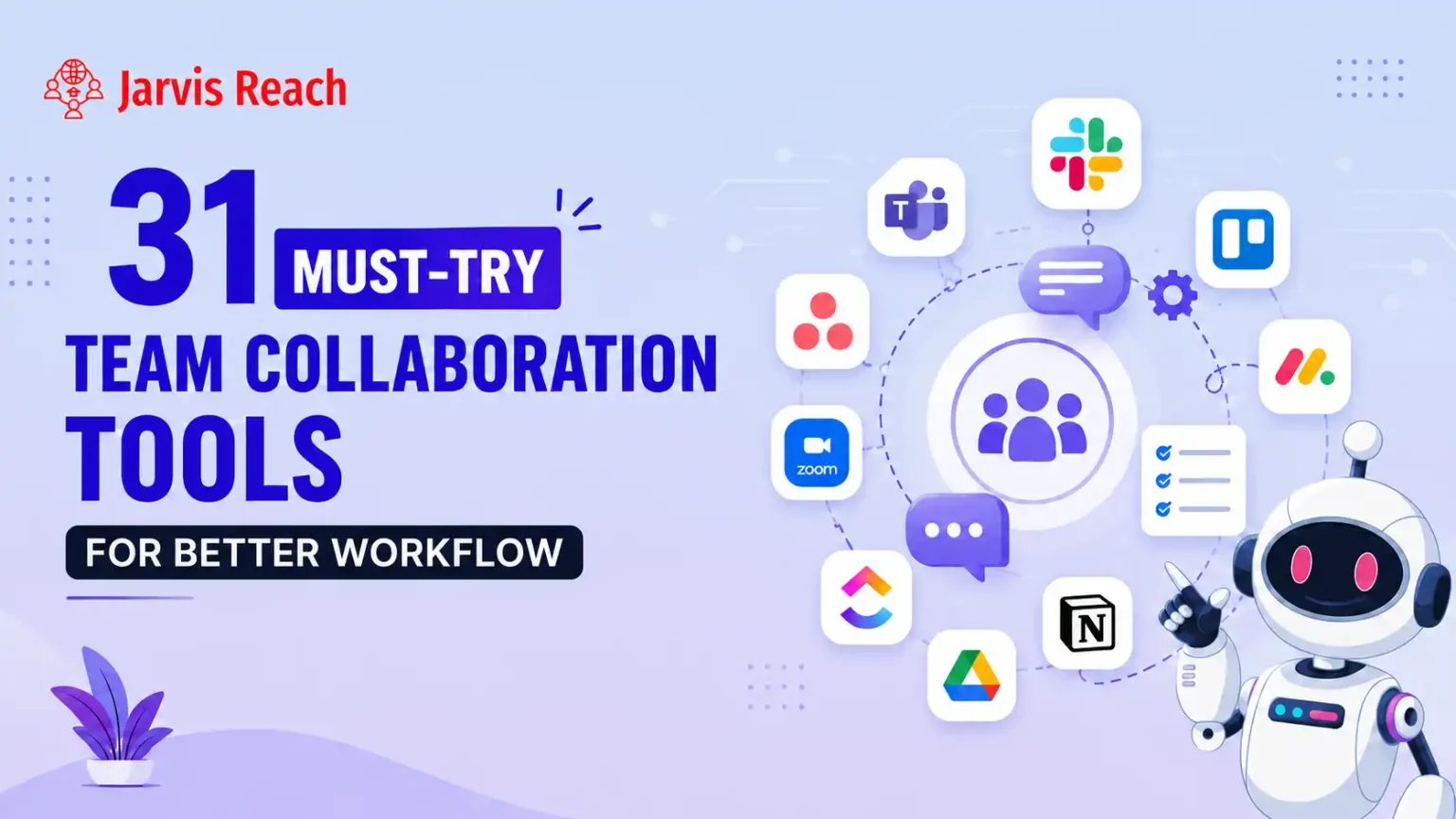
Effective teamwork depends on clear communication, organized workflows, and easy access to shared information. As businesses increasingly work across remote, hybrid, and office environments, the right digital tools can make collaboration faster and more organized. Team collaboration tools help employees communicate, manage projects, exchange files, track tasks, and stay aligned on common goals.
Choosing suitable software is not simply about selecting the platform with the most features. Teams should consider their size, work style, project requirements, budget, and communication habits. The right combination of tools can reduce unnecessary meetings, prevent missed updates, and help employees focus on meaningful work.
1. Communication Tools Keep Teams Connected
Communication is the foundation of productive teamwork. Messaging and communication platforms allow employees to exchange quick updates without depending entirely on email. Teams can create dedicated channels for departments, projects, clients, or specific topics.
Features such as direct messaging, group conversations, voice calls, and video meetings make it easier for employees to communicate regardless of their location. These tools are particularly useful for remote teams because they provide a central place for daily discussions and important announcements.
A well-organized communication platform can also reduce information overload. Instead of sending messages through several different channels, teams can establish clear communication rules and keep conversations organized by topic.
2. Project Management Tools Improve Organization
Managing several projects at once can become difficult when tasks are tracked through spreadsheets, emails, or scattered notes. Project management tools provide a structured way to assign responsibilities, establish deadlines, and monitor progress.
Teams can create task lists, set priorities, assign work to specific employees, and track completed activities. Managers can also get a clearer view of project progress without constantly asking employees for updates.
Popular project management features include task boards, calendars, timelines, reminders, status updates, and progress reports. These capabilities help teams understand what needs to be completed, who is responsible, and when each task is due.
3. File-Sharing Platforms Make Information Accessible
Sharing files efficiently is another important part of workplace collaboration. Cloud-based storage platforms allow employees to store documents, presentations, spreadsheets, images, and other resources in one accessible location.
Instead of keeping important files on individual computers, teams can work from shared folders and access updated versions when needed. Permission controls can also help organizations determine who can view, edit, or share particular documents.
File-sharing tools become especially valuable when employees work from different locations. Team members can collaborate on documents without repeatedly sending attachments or creating multiple versions of the same file.
4. Productivity Tools Help Employees Manage Their Time
Productivity tools can help individuals and teams organize daily responsibilities and spend their time more effectively. Task lists, calendars, reminders, scheduling applications, and time-tracking features can make workloads easier to manage.
Employees can use these tools to prioritize urgent tasks, plan their schedules, and keep track of deadlines. Managers can also identify workflow problems and determine whether workloads are distributed appropriately.
The goal should not be to monitor every minute of an employee's day. Instead, productivity software should help people reduce repetitive work, maintain focus, and create a more manageable workflow.
5. Collaboration Tools Support Remote and Hybrid Teams
Remote and hybrid working models have made digital collaboration more important than ever. Employees may work from different cities, countries, or time zones, making traditional communication methods less practical.
Online collaboration platforms give teams a shared digital workspace where they can communicate, manage projects, attend meetings, and access documents. Features such as video conferencing, screen sharing, collaborative editing, and team calendars can make remote work feel more connected.
For distributed teams, it is also useful to select tools that support asynchronous communication. Not every question requires an immediate meeting. Shared project updates, recorded meetings, documentation, and task comments allow employees to stay informed without constantly being online.
6. How to Choose the Right Team Collaboration Tools
There is no single collaboration platform that works perfectly for every organization. Before choosing software, businesses should identify their biggest communication and workflow challenges.
Important factors to consider include:
- Ease of use: Employees should be able to learn the platform without extensive training.
- Integration: The tool should work well with existing business applications.
- Scalability: The platform should support the organization as the team grows.
- Security: Businesses should evaluate permissions, data protection, and account controls.
- Pricing: Costs should fit the company's budget and expected usage.
- Features: Select capabilities that solve real workflow problems rather than unnecessary extras.
- Mobile access: Mobile applications can help employees stay connected when working away from their desks.
Testing a tool with a small group before introducing it across the organization can also help identify potential issues.
7. Combining Tools Can Create a More Efficient Workflow
Using one application for every business activity is not always the best strategy. Different tools often serve different purposes. A team may use one platform for communication, another for project management, and a separate service for cloud storage or document collaboration.
The key is to avoid creating a complicated collection of disconnected applications. Too many platforms can cause employees to search through multiple systems for information and may create duplicate work.
Integrations can help connect different applications and create smoother workflows. For example, a project management platform might connect with a communication tool so employees receive task updates directly within their usual workspace.
Businesses should regularly review their technology stack and remove tools that are rarely used. A smaller, well-integrated collection of platforms can often be more effective than a large number of disconnected applications.
Conclusion
The right digital tools can transform the way teams communicate, organize projects, share information, and manage their workloads. From communication platforms and project management software to cloud storage and productivity applications, each tool can address a different part of the modern workplace.
However, technology alone does not create effective teamwork. Teams also need clear processes, defined responsibilities, consistent communication habits, and realistic goals. By choosing tools that match their actual needs and integrating them into a simple workflow, businesses can create a more connected and productive working environment.
Ultimately, the best team collaboration tools are the ones that make it easier for people to work together, stay informed, complete tasks, and achieve shared objectives.


 English
 Arabic
 Spanish
 Portuguese
 Deutsch
 Turkish
 Dutch
Dutch
 Italiano
 Russian
 Romaian
 Portuguese (Brazil)
 Greek
Greek