


Multilingual Websites: How to Design for Audiences Around the World
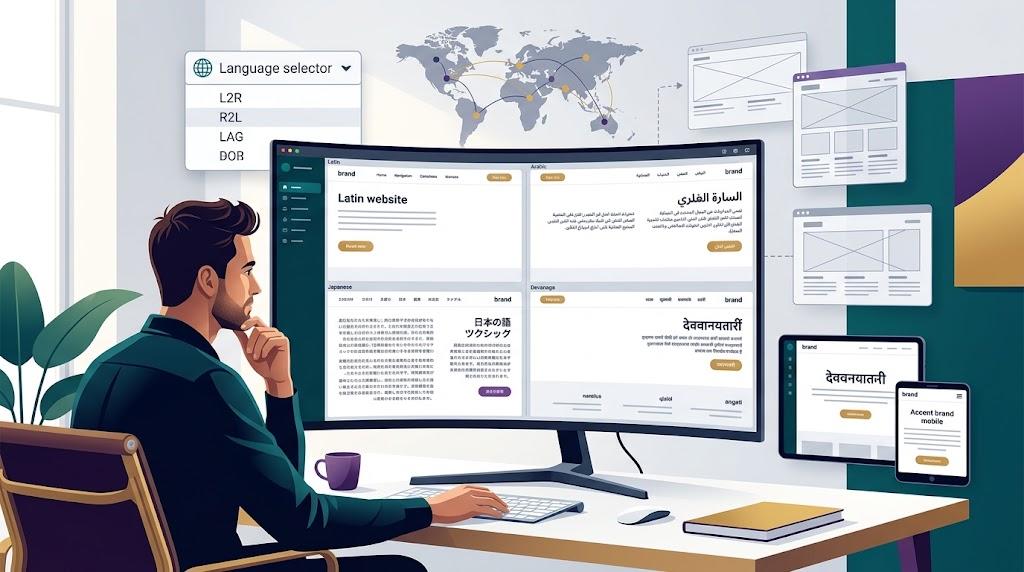
There's a moment in every global expansion when the website stops being a single project and becomes a portfolio of interconnected experiences. Leadership greenlights entry into new markets, and suddenly every component—navigation, typography, imagery, SEO—carries multiplied complexity. The decisions you made for a single-language site no longer hold up.
Plenty of teams hand the existing site to a translation agency and consider the job done. That shortcut produces pages in other languages, but not pages that feel native to anyone reading them. Genuine multilingual design demands rethinking layout systems, content strategy, and technical infrastructure from the ground up.
Prioritize Flexible Layouts Over Pixel-Perfect Mocks
Different languages consume space at different rates. A German compound noun can stretch a button label well past its English equivalent. Japanese and Korean have distinct vertical rhythm. Arabic reverses the reading direction and mirrors the entire interface.
Designers who build exclusively around English text tend to create rigid containers that collapse under expansion. Fixed-width buttons wrap awkwardly. Navigation bars clip mid-word. Hero headlines lose their visual authority when crammed into a space sized for fewer characters.
Every container should handle the longest plausible translation without visual failure. A web designer with international project experience will prototype layouts using expanded text samples from the earliest design phase. Fluid grids and percentage-based sizing outperform rigid pixel assignments consistently.
Right-to-left language support should be architecturally available even when it isn't immediately needed. Adding RTL capabilities after launch means restructuring spacing, alignment, and directional logic across hundreds of components.
Design Language Navigation That Requires Zero Thought
Switching languages should feel effortless. A visitor who just arrived from a localized search result expects to find their language within seconds. Every extra moment spent searching increases the chance they'll leave.
Principles that consistently work across international audiences:
- Position the selector prominently in the header. Top-right placement aligns with the strongest cross-cultural user expectation.
- List languages using their native names and scripts. "Русский" identifies itself to a Russian speaker immediately. "Russian" does not.
- Abandon flags as language selectors. Chinese is spoken across multiple territories with different political contexts. A single flag creates unnecessary friction.
- When a translated page doesn't exist yet, show the nearest alternative with an explanatory message. Never serve a dead-end error.
Scrutinize Typography Across Every Target Script
Choosing a brand typeface for its Latin performance alone is a common oversight. The same font may render Greek glyphs with mismatched weight or produce cramped, unreadable CJK characters at standard body sizes.
Line height, letter spacing, and baseline alignment all require per-script evaluation. Thai script features stacking diacritics that need extra vertical room. Devanagari characters are taller on average than Latin letters and can clip within tight line boxes.
A website designer experienced with multilingual typography will audit each target script independently. Adjustments that seem minor—adding two pixels of line height, increasing padding around Arabic text—dramatically improve how international visitors perceive the brand. Skipping this work leaves localized versions looking second-tier regardless of content quality.
Deliver Culturally Relevant Content, Not Just Correct Grammar
Translation converts words accurately. Localization converts meaning. A perfectly translated page that still features American-centric examples and stock imagery from a foreign suburb communicates one thing clearly: this page wasn't made for you.
Work with in-country specialists who understand local references, communication norms, and visual expectations. They'll swap out case studies, rewrite analogies, and recommend imagery that reflects the audience's reality. Some sections may need complete reimagining rather than line-by-line conversion.
A web designer who partners with localization teams throughout the process can flag template constraints before translated content arrives. If a section needs to contract or expand significantly, early coordination prevents emergency adjustments during deployment.
Not every page belongs on every regional version. If a product or service isn't available in a specific market, exclude that page. Curated, relevant content always outperforms a complete but disconnected translation.
Select a URL Architecture That Matches Your Resources
Multilingual URL structure has lasting consequences for SEO performance and operational overhead. Three approaches dominate the landscape:
- Subdirectories (example.com/zh/) consolidate domain authority and reduce deployment complexity. Most teams find this model easiest to sustain.
- Subdomains (zh.example.com) offer organizational clarity but fragment SEO signals across separate properties.
- Country-code TLDs (example.cn) provide the strongest local market signal. They also multiply infrastructure demands around hosting, certificates, and monitoring.
Choose based on long-term team capacity rather than short-term aesthetics. Once the structure is live, implement hreflang annotations with precision. Incorrect hreflang configuration causes search engines to serve mismatched language versions or treat localized pages as competing duplicates.
Respect Regional Differences in How People Read Pages
Scanning behavior is culturally shaped. Some audiences expect dense, detail-rich layouts where specifications and information are immediately visible. Others prefer clean, spacious designs that prioritize clarity over comprehensiveness.
A website designer researching regional UX conventions can adjust templates per market. Look at how established local brands organize their homepages. Observe where primary navigation sits, how much content appears in the first viewport, and what layout density feels standard.
These conventions aren't superficial preferences. They reflect how people in different cultures process visual information online. Honoring them signals respect and typically lifts engagement metrics.
Have Native Speakers Evaluate Every Localized Version
No automated tool catches a call-to-action that sounds stilted in everyday French. No translation memory system flags a headline that reads as unintentionally humorous in colloquial Mandarin.
Recruit native speakers to review each localized version in its entirety. Assess naturalness, tone, and whether the experience feels authored locally. Budget for this review during project planning rather than scrambling to fit it in before launch. A web designer who accounts for native review cycles in the project schedule avoids costly delays.
Skipping this step produces localized sites that look professional but feel foreign. That gap undermines the exact trust you're trying to build.
Create Systems That Keep Content Current Everywhere
Multilingual maintenance scales fast. A single headline change multiplies across every language version. A new product launch requires coordinated updates across markets. Without structured workflows, content drifts out of sync quickly.
Adopt a CMS with native multilingual capabilities. Assign clear ownership for each language so someone is accountable for freshness. A website designer Singapore familiar with content operations will recommend platforms that streamline the translation workflow and minimize duplicated effort. Stale translations damage credibility more than having no localized version at all.
Build periodic audits into the calendar. Consistency checks catch misalignments before they accumulate into a systemic problem that erodes audience confidence.
Treat Multilingual Design as an Ongoing Practice
Sites that succeed internationally share a common origin story. A web designer, a content strategist, and a localization specialist aligned on goals and constraints before the first line of code was written. They planned for complexity rather than discovering it after launch.
Start with adaptable architecture. Treat every language as its own design and content challenge. Invest in workflows that keep the entire system healthy over time. The organizations that earn trust across borders are the ones that refine continuously based on what each market actually needs.

 English
 Arabic
 French
 Spanish
 Portuguese
 Deutsch
 Turkish
 Dutch
 Italiano
 Russian
 Romaian
 Greek