


Vector Graphics Services for Professional Artwork
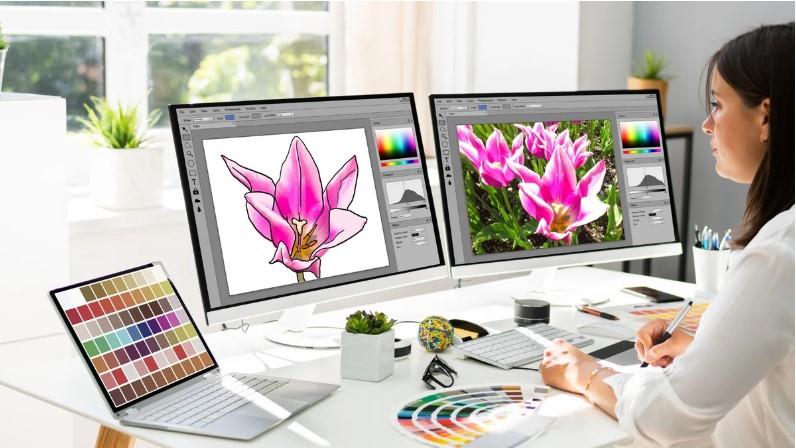
A logo that looks sharp on a business card can become blurry when enlarged for a banner. That is one of the biggest problems with low-quality raster artwork.
Vector Graphics Services solve this problem by creating artwork from mathematically defined lines, curves, and shapes. Instead of depending on fixed pixels, vector graphics can be resized while maintaining clean edges and strong visual detail.
Whether you need a logo recreated, artwork converted to vector format, or graphics prepared for print, professional vector design can give you a more flexible and reliable file for future projects.
What Are Vector Graphics Services?
Vector graphics services involve creating, editing, tracing, converting, or refining artwork using vector-based graphics.
Unlike raster images made from pixels, vector artwork uses paths, points, lines, curves, and shapes to build an image.
This makes vector graphics highly scalable.
A vector logo can be used on:
- Business cards
- T-shirts
- Product packaging
- Websites
- Signs
- Posters
- Banners
- Promotional products
- Embroidery applications
The same artwork can often be resized from a small label to a large sign without becoming pixelated.
Why Are Vector Graphics Important?
Imagine stretching a small photograph across a billboard. Eventually, the pixels become visible and the image starts looking blurry.
Vector artwork behaves differently.
Because it is based on paths rather than fixed pixels, the artwork can be enlarged or reduced while maintaining smooth edges.
This is particularly important for logos and brand graphics that need to appear consistently across different platforms and products.
What Do Vector Graphics Services Include?
Professional vector graphics work can cover many different needs.
Vector Logo Design
A logo is often one of the most important graphics a business owns. Creating it as clean vector artwork makes it easier to use across different marketing materials.
A vector logo can be adapted for both digital and print applications without recreating the artwork from scratch.
Raster to Vector Conversion
Sometimes the only available version of a logo is a JPG, PNG, screenshot, or scanned image.
Raster-to-vector conversion recreates that artwork as editable paths.
The process may involve:
- Tracing shapes
- Rebuilding curves
- Cleaning edges
- Recreating text
- Separating colors
- Removing unwanted backgrounds
The goal is to create a clean vector version rather than simply placing a raster image inside a vector file.
Vector Artwork Cleanup
Existing vector files may contain unnecessary points, uneven curves, overlapping objects, or other issues.
Vector cleanup can simplify the artwork and make it easier to edit, print, or use for production.
Custom Vector Illustration
Some projects require artwork to be created from scratch.
Custom vector illustration can be useful for icons, product graphics, mascots, technical artwork, packaging elements, and promotional designs.
Common Vector File Formats
Different projects may require different vector formats.
AI
AI is a common vector format associated with professional graphic design workflows. It can preserve editable paths, shapes, text, and other design elements.
EPS
EPS has been widely used for logos, printing, publishing, and other professional graphics applications.
SVG
SVG is particularly useful for websites and digital applications. Because it is scalable, it works well for responsive web graphics.
PDF files can contain vector artwork and are commonly used for sharing and printing. However, whether a PDF is fully editable depends on how it was created.
CDR
CDR is a vector format associated with CorelDRAW workflows and is commonly used in certain print and design environments.
When ordering vector graphics, always ask which file formats are included and whether the artwork will remain editable.
Benefits of Professional Vector Graphics Services
Creating clean vector artwork requires more than clicking an automatic tracing button.
Professional vector work can provide several benefits.
Sharp, Clean Edges
Vector paths create smooth curves and crisp edges, which are especially important for logos and detailed artwork.
Easy Scaling
The artwork can be resized for different applications without the pixelation commonly associated with raster images.
Better Print Quality
Printers often require vector artwork for certain types of production. Clean paths can make the file easier to work with.
Easier Editing
A properly organized vector file allows individual shapes, colors, and elements to be modified without rebuilding the entire design.
Greater Design Flexibility
One well-prepared vector file can support many future uses, from online graphics to large-format printing.
Vector Graphics vs. Raster Graphics
Understanding the difference helps you choose the right format for a project.
| Feature | Vector Graphics | Raster Graphics |
|---|---|---|
| Built from | Paths and shapes | Pixels |
| Scaling | Highly scalable | Can become pixelated |
| Best for | Logos, icons, illustrations | Photos and detailed images |
| Editing | Individual paths and objects | Pixel-based editing |
| Common formats | AI, EPS, SVG, CDR | JPG, PNG, TIFF |
Neither format is automatically better for every situation.
Photographs usually work best as raster images, while logos and clean illustrations are often better suited to vector artwork.
When Do You Need Vector Graphics Services?
You may benefit from professional vector work when:
- Your logo is blurry or low resolution.
- You only have a JPG or PNG version of your artwork.
- A printer requests an editable vector file.
- You need to enlarge a design significantly.
- Your existing vector file has messy paths.
- You need multiple color variations.
- Your artwork must be prepared for production.
- You want an editable master version of a logo.
If a business plans to use the same logo for years, having a clean vector master file can be a valuable investment.
How Does Raster-to-Vector Conversion Work?
The conversion process typically starts by examining the original artwork.
Step 1: Analyze the Artwork
The designer identifies shapes, lines, colors, text, and other important elements.
Step 2: Recreate the Main Shapes
The artwork is rebuilt using vector paths rather than simply relying on pixels.
Step 3: Refine Curves and Edges
Uneven curves and unnecessary anchor points are corrected.
Step 4: Rebuild Text
If the original font is known, it may be recreated using the appropriate typeface. Otherwise, lettering may need to be manually recreated or converted into outlines.
Step 5: Separate Colors
Different design elements can be organized into separate objects, making future editing easier.
Step 6: Check the Final Artwork
The finished file should be reviewed at different sizes to ensure that curves, spacing, alignment, and proportions remain consistent.
What Makes a Good Vector File?
A vector file can technically contain vector objects and still be poorly constructed.
A well-prepared file should have:
- Smooth curves
- Clean paths
- Logical object placement
- Appropriate anchor points
- Accurate proportions
- Proper color separation
- Editable elements
- Minimal unnecessary objects
Good organization can save time when the artwork needs to be edited later.
Tips for Choosing Vector Graphics Services
Not every service produces the same level of quality.
Before choosing a provider, consider these factors.
Look at Previous Work
Review examples that are similar to your project. Pay attention to curves, lettering, small details, and overall cleanliness.
Ask for Editable Files
If you need to modify the artwork later, confirm that the final files will contain editable vector elements.
Explain Your Intended Use
Tell the designer whether the artwork will be used for printing, websites, packaging, signage, apparel, or another purpose.
This information can influence how the artwork should be prepared.
Provide the Best Source Image
A higher-quality source image usually provides more information for accurate reconstruction. If possible, provide the original artwork rather than a compressed screenshot.
Confirm the Required Formats
Different printers, designers, and production systems may request different formats. Make sure the final package includes what you actually need.
Common Mistakes in Vector Conversion
Automatic tracing can save time, but it can also create problems.
Common issues include:
- Too many anchor points
- Jagged curves
- Incorrect proportions
- Overlapping shapes
- Unwanted background elements
- Incorrect colors
- Poorly recreated lettering
- Unorganized layers
A file that looks acceptable at first glance may become difficult to edit or produce if these problems are not corrected.
Vector Graphics for Branding
Consistent branding depends heavily on having reliable artwork.
A clean vector logo makes it easier to maintain the same appearance across different materials.
For example, the logo used on a website may later be needed for:
- Store signage
- Business cards
- Product labels
- Packaging
- Promotional clothing
- Trade show displays
Having an editable vector master file gives designers more flexibility when preparing these materials.
Final Thoughts
Vector Graphics Services can turn rough, blurry, or difficult-to-use artwork into clean and flexible graphics suitable for many applications.
From raster-to-vector conversion and logo recreation to custom vector illustration and artwork cleanup, professional vector work focuses on creating paths that remain sharp, editable, and practical.
The key is to think beyond the file extension. A good vector file should be cleanly constructed, easy to edit, properly organized, and suitable for its intended use.
If your artwork will appear across different sizes and platforms, investing in properly prepared vector graphics can save time and prevent quality problems later.
FAQs About Vector Graphics Services
1. What are vector graphics services?
Vector graphics services include creating, tracing, converting, editing, and cleaning artwork using vector-based paths and shapes.
2. Can a JPG be converted into a vector file?
Yes. A JPG can be recreated as vector artwork. The process is generally called raster-to-vector conversion or vector tracing.
3. What is the best format for a vector logo?
Common vector formats include AI, EPS, SVG, CDR, and vector-based PDF. The best choice depends on how the logo will be used.
4. Will vector artwork become blurry when enlarged?
Normally, no. Properly created vector artwork can be scaled up or down while maintaining smooth edges and sharp shapes.
5. Are vector graphics only used for printing?
No. Vector artwork is also widely used for websites, apps, branding, packaging, signage, apparel, illustrations, and many other digital and physical applications.

 English
 Arabic
 French
 Spanish
 Deutsch
 Turkish
 Dutch
 Italiano
 Russian
 Romaian
 Portuguese (Brazil)
 Greek