


Planning AR Try-On for Jewelry: a 9-Step Guide for California Brands
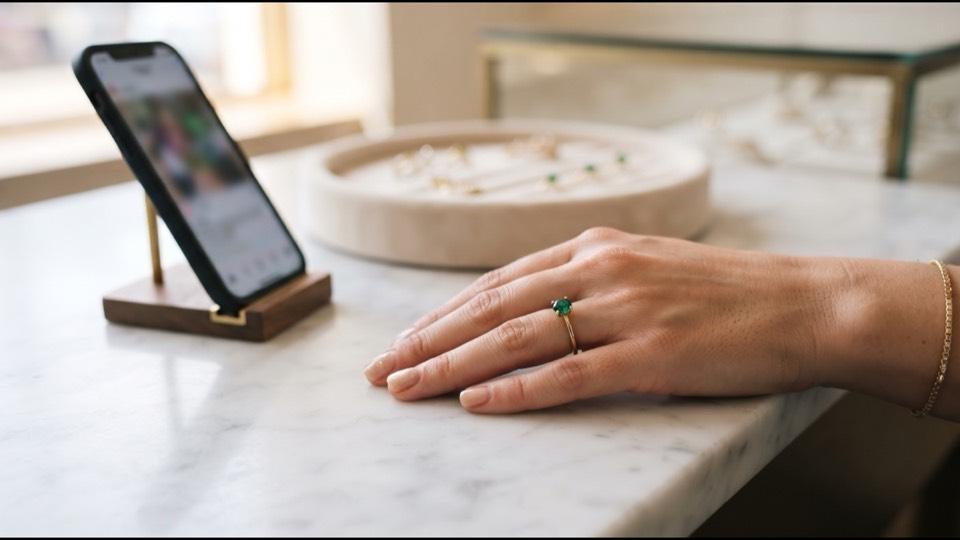
AR ring try-on is the last step of a project, not the first. It needs clean 3D models, a defined set of options and price logic underneath, then a decision on browser or app delivery. The table summarizes the main decisions and a sensible starting choice for each, and nine steps follow.
| Decision | Options | Starting choice |
|---|---|---|
| First products | Whole catalog, one collection, bestsellers | One collection of rings |
| Model source | Jeweler's CAD, scanning, modeling from photos | CAD files, optimized for web |
| Options | Stone, cut, metal, band, engraving | The options customers already ask for |
| Delivery | Browser (WebAR) or native app | Browser, no download |
| Pricing | Fixed, from-price, live calculation | Live price for every combination |
| Model protection | Open file, view-only viewer | View-only, no download or export |
| Sharing | Link, embed, none | Shareable link plus page embed |
Start With the Catalog, Not the Camera
1. Choose the first products
Launch with a focused set: one engagement ring collection or your ten bestselling styles. A small catalog lets you check model quality, loading speed and pricing before you scale.
Pick products where seeing the piece on a hand matters most. Solitaires, halo settings and wide bands are good candidates because size and proportion drive the decision.
Check your custom-order inbox too. The combinations customers ask about most often by email or phone are the ones the configurator should handle on day one.
2. Prepare 3D models from CAD
Most jewelers already design in CAD, which is the best starting point. Those files are built for casting, though, so they must be simplified and given realistic metal and stone materials before they can load quickly on a phone.
Agree on a web format such as glTF or GLB, and on who owns the optimized models. You will reuse them for product photos, ads and future campaigns.
3. Define options and the rules between them
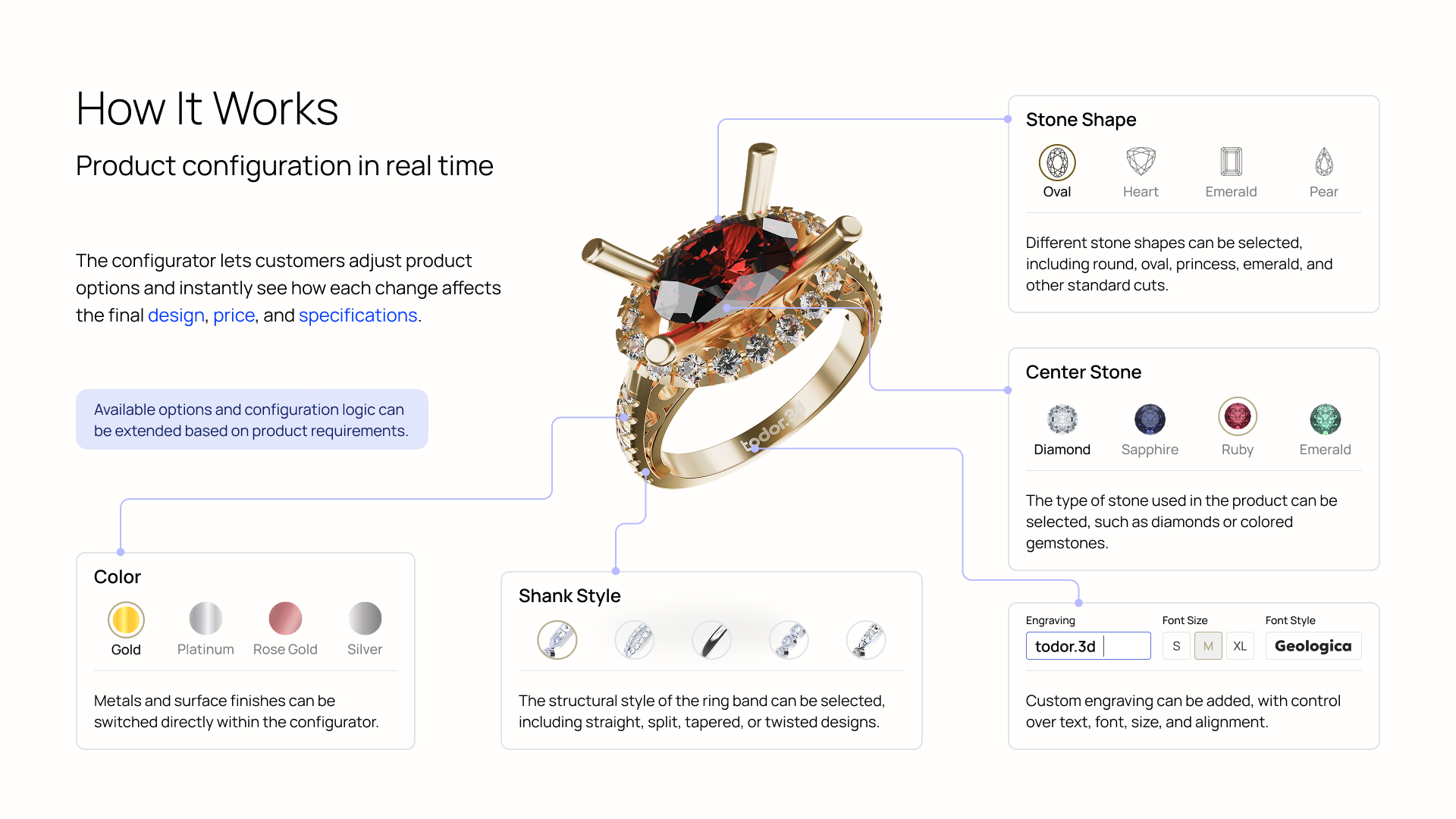
List what a customer can change: stone shape, center stone, metal color, band style and engraving. Then write the rules, such as which settings fit which stone sizes and which metals are available for each design.
Rules are where most configurator projects slow down. A spreadsheet the developer can read saves weeks of clarification.
Browser AR Removes the App Download
4. Decide between browser and app
Decide early whether try-on lives in the browser or in an app. In a ring configurator that Todor3D built for a jewelry store, shoppers choose the stone, metal, setting and engraving in React Three Fiber, watch the price update live, and try the ring on their own hand through the phone camera with 8th Wall on iOS and Android. Shared links open in a view-only mode, so the 3D model can't be downloaded; the project sits in the $10,000–50,000 budget band.
A browser experience reaches shoppers straight from a product page, an Instagram link or an email. An app makes sense mainly for brands whose customers already use one for loyalty or repeat orders.
Ask any vendor which libraries and services the try-on depends on, and what happens if one of them changes its terms. Owning the configurator code and the models keeps your options open.
Price Should Update With Every Choice
5. Recalculate the price on every change
Shoppers who change a stone or metal want to see what it does to the price immediately. Decide whether the price comes from a table in the configurator or from your store or ERP each time.
If metal prices change often, connect the configurator to the same price source your store uses, so the website, the showroom and the quote always match.
Live pricing also makes upgrades visible. A customer comparing a sapphire with a diamond, or yellow gold with platinum, decides with real numbers instead of waiting for a quote.
Protect Your Models When Shoppers Share Them
6. Keep models view-only
Your designs are intellectual property. Make sure the viewer lets people rotate and zoom without exposing a file that can be downloaded, exported or copied by a competitor.
Put this in the contract and test it before launch. Shared links and embeds should open the same protected viewer.
7. Plan sharing and embedding
Buying a ring is often a joint decision. A shareable link lets a customer send a design to a partner, and lets your sales staff send a configuration after a phone consultation.
Embedding the viewer on product pages, gift guides or a store locator page puts the same experience where shoppers already are. Decide which pages get it first.
A simplified customer view helps here. It can expose only the options you allow for a given campaign, while staff keep the full set of choices in a consultation.
Launch With Templates, Then Grow the Catalog
8. Test loading speed on phones
Most shoppers will open the configurator on a phone, often over cellular data. Set a load-time target and test on mid-range Android phones as well as recent iPhones.
Speed depends on model size, texture compression and loading only the parts the current design needs. Make it part of acceptance, not something to fix after launch.
9. Use templates to add products faster
Once the first collection works, the bottleneck becomes setup time per new SKU. Templates for rings, pendants and earrings, with stones that snap into settings automatically, cut that time sharply.
The ring configurator Todor3D built comes with pre-built templates for rings, pendants and earrings and analyzes each new model to detect stones by name and geometry. Ask any vendor for a similar admin workflow, so your team can add models and options without a developer for every change.
FAQ
How much does AR try-on for jewelry cost?
Cost depends on the number of models, options and rules, pricing integration and the AR features you need. A ring configurator with live pricing and AR try-on can fit in a $10,000–50,000 band; larger catalogs and ERP integration cost more.
How long does it take to launch?
With CAD files and a defined option list, a first collection can go live in weeks. Modeling from photos and complex pricing rules add time.
Does browser AR work on Android?
Yes, browser-based AR can work on both iOS and Android through the phone camera. Test on the devices your customers use, since performance varies across models.

 English
 Arabic
 French
 Spanish
 Portuguese
 Deutsch
 Dutch
 Italiano
 Russian
 Romaian
 Portuguese (Brazil)
 Greek