


Reliving the Pixelated Past: Your Guide to Eaglercraft
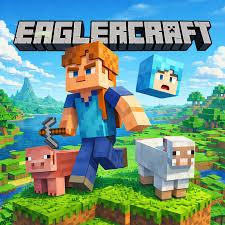
Remember the days of blocky adventures, creative construction, and endless exploration in a world made of cubes? For many, the iconic charm of early Minecraft versions holds a special place in their hearts. But what if you could revisit that golden age, even without a dedicated game client or complex setup? Enter Eaglercraft, a fantastic browser-based recreation that brings the classic Minecraft experience directly to your web browser. If you’re looking to scratch that nostalgic itch or simply try out a foundational game, this guide will get you started on your Eaglercraft journey.
What is Eaglercraft and How to Start?
Eaglercraft is essentially a faithful re-implementation of older Minecraft versions (specifically 1.5.2) that runs entirely within your web browser. This means no downloads, no installations, and no powerful computer required – just a stable internet connection and a modern browser. To begin your adventure, simply navigate to the Eaglercraft website. You'll be greeted with a familiar-looking main menu, offering options to play single-player or join multiplayer servers.
For a solo adventure, click "Singleplayer" and then "Create New World." You can name your world and choose your game mode (Survival or Creative). Survival mode challenges you to gather resources, craft tools, and defend against creatures, while Creative mode gives you unlimited blocks and the freedom to build anything your imagination desires. If you're eager to connect with others, explore the "Multiplayer" option. Here, you'll find a list of available servers or the option to add a direct server address.
Diving into the Blocky World: Gameplay Basics
The core gameplay of Eaglercraft is wonderfully straightforward, mirroring the classic Minecraft experience.
- Movement: Use the W, A, S, D keys to move your character. Spacebar jumps, and holding Shift allows you to sneak (useful for not falling off edges or being detected by mobs).
- Breaking and Placing Blocks: The left mouse button breaks blocks (hold it down), and the right mouse button places them. To interact with items like crafting tables or chests, also use the right mouse button.
- Inventory and Crafting: Press E to open your inventory. Here, you'll see your character, a 2x2 crafting grid, and slots for your tools and items. To craft more complex items, you'll need a Crafting Table. Place it down and right-click it to access a 3x3 crafting grid, where you combine various resources to create new tools, weapons, armor, and more.
- Gathering Resources: Punch trees for wood, mine stone for cobblestone, and dig dirt for, well, dirt! These fundamental resources are the building blocks of your entire world.
Tips for a Smooth Eaglercraft Experience
While Eaglercraft is user-friendly, a few tips can enhance your playtime:
- Start with Wood: Your very first goal should always be to gather wood. This allows you to craft a crafting table and wooden tools, which are essential for progressing.
- Build a Shelter: As night falls in Survival mode, hostile mobs emerge. A simple dirt or cobblestone shelter can provide much-needed protection from zombies, skeletons, and creepers.
- Explore and Experiment: Don't be afraid to wander! Discovery is a huge part of the fun. Experiment with different block combinations in your crafting table to see what you can create.
- Multiplayer Etiquette: If you join a multiplayer server, remember to be respectful of other players. Don't grief (destroy other people's creations) and contribute positively to the community.
- Check Performance: If you experience lag, try closing other browser tabs or adjusting the in-game video settings (accessible through the "Options" menu).
Conclusion
Eaglercraft offers a fantastic opportunity to revisit a beloved era of gaming. Its accessibility and faithful recreation of classic Minecraft make it an excellent choice for both newcomers and seasoned veterans looking for a dose of nostalgia. So, fire up your browser, choose your world, and get ready to mine, craft, and explore. The blocky adventure awaits!

 Arabic
 French
 Spanish
 Portuguese
 Deutsch
 Turkish
 Dutch
 Italiano
 Russian
 Romaian
 Portuguese (Brazil)
 Greek